
Aires Studio
Aires Studio is an innovative solution that fully virtualizes and automates your radio studio. From mixing multiple audio sources to managing cameras and graphics, Aires Studio gives you total control over your production. With an intuitive and flexible interface, you can customize and automate your workflow, optimizing every detail to ensure the best experience for live broadcasts, podcasts, and multimedia productions.
US$1080.00/year
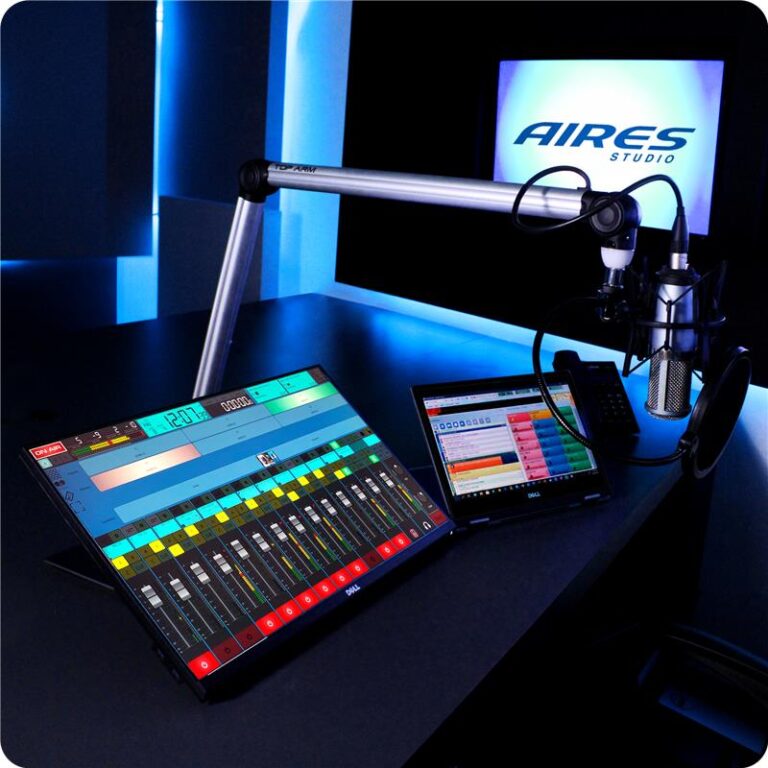
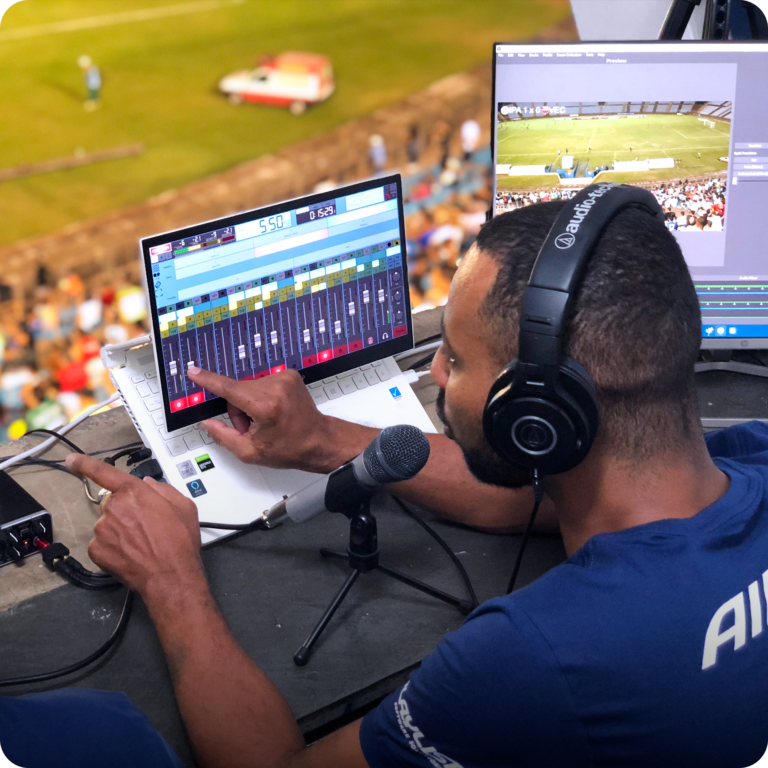
Real-Time Audio & Video Mixing
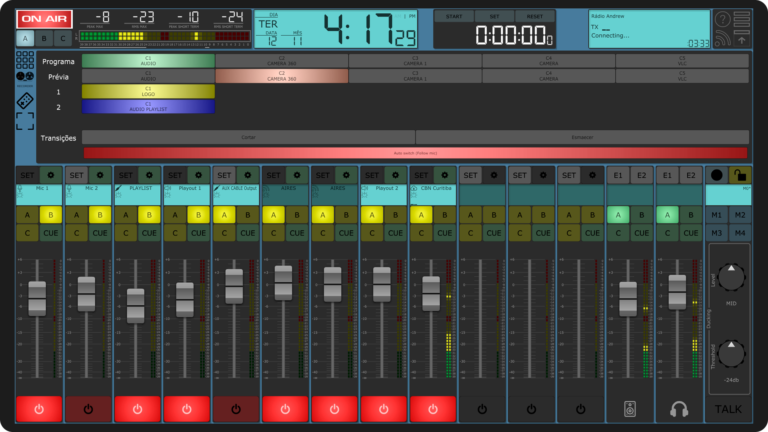
Aires Studio allows you to control multiple input sources simultaneously—microphones, phone calls, or video signals—all in one place. With its intuitive mixing system, you can adjust audio levels and apply effects in real time to maintain impeccable sound and video quality. The visual interface lets you clearly see each source and make quick decisions during live production.
Additionally, the tool enables smooth video transitions between different cameras or scenes without interruptions, ensuring your content looks professional and dynamic. Aires Studio transforms the complexity of managing multiple signals into a simple and organized process—ideal for live productions where every second counts.
Total Device Integration
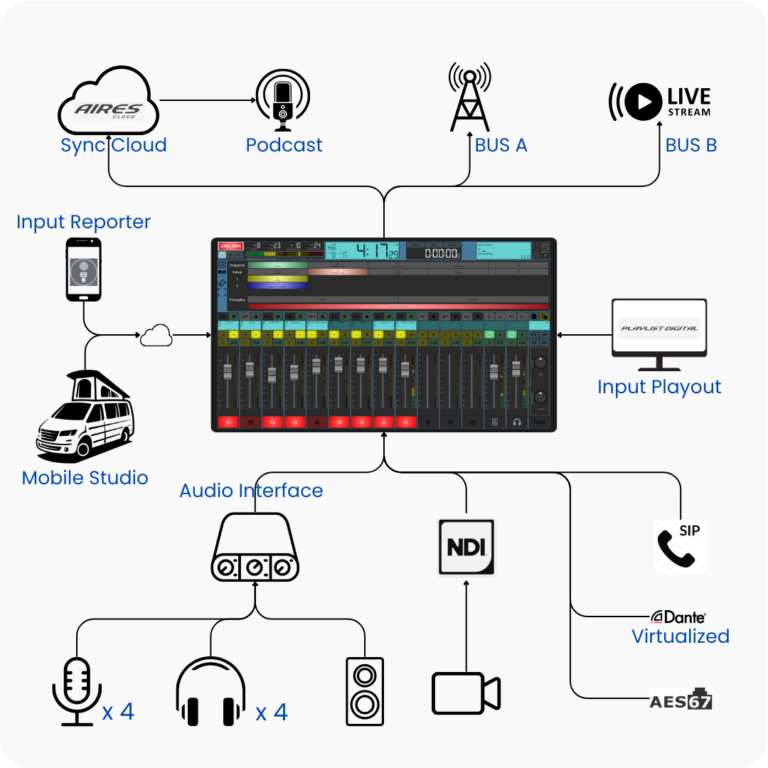
Aires Studio adapts to any technical setup, seamlessly integrating with external tools and devices such as NDI (Network Device Interface) for camera management, SIP telephony for live calls, and VST plugins to enhance audio quality with advanced effects. This technical flexibility ensures you can tailor your workflow to your specific needs without compromising efficiency.
Whether you’re a content producer in a professional studio or handling a remote broadcast, Aires Studio ensures all your tools work in harmony. The software acts as the command center of your production, allowing smooth hardware and software integration so that everything stays synchronized and your audience receives the highest-quality content.
Intelligent Automation
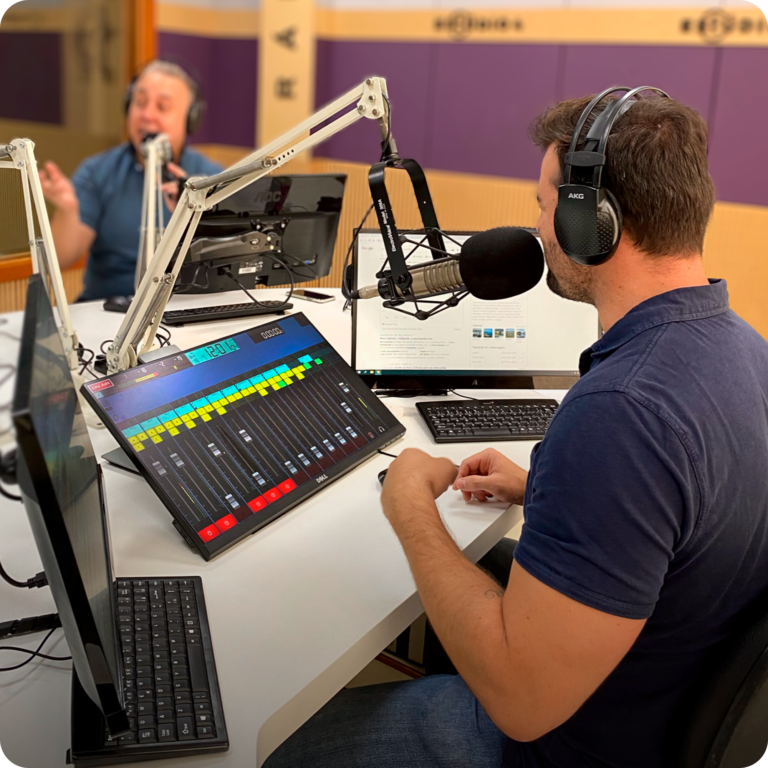
Aires Studio simplifies your productions with automated transitions and dynamic audio adjustments. Set up automatic scene transitions so your production flows seamlessly, eliminating the need for constant manual intervention. The software detects who is speaking and automatically adjusts audio levels, ensuring crisp and balanced sound at all times.
With this level of automation, you can focus on content and creativity while Aires Studio handles the technical details. This makes it an ideal solution for complex broadcasts, where precision and speed are crucial, giving you the peace of mind that everything is running perfectly.
Customer Reviews

Remote Access with Aires Cloud
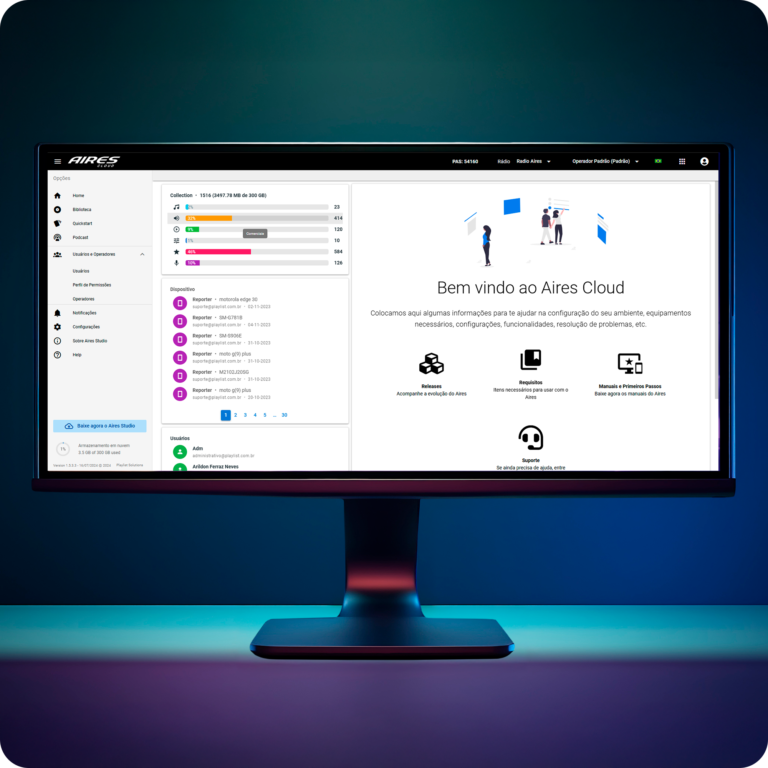
Aires Cloud allows you to access your content and projects from anywhere in the world. You can store, manage, and share files efficiently in the cloud, facilitating real-time collaboration with your team, regardless of location. All material is automatically synced with Aires Studio, ensuring you always have access to the latest version of your productions.
This functionality is ideal for teams working on large projects or across multiple locations, enabling a continuous and collaborative workflow. With Aires Cloud, you don’t have to worry about file loss or transferring large amounts of data—everything is centralized, secure, and instantly available.
Compatibility with Aires Reporter
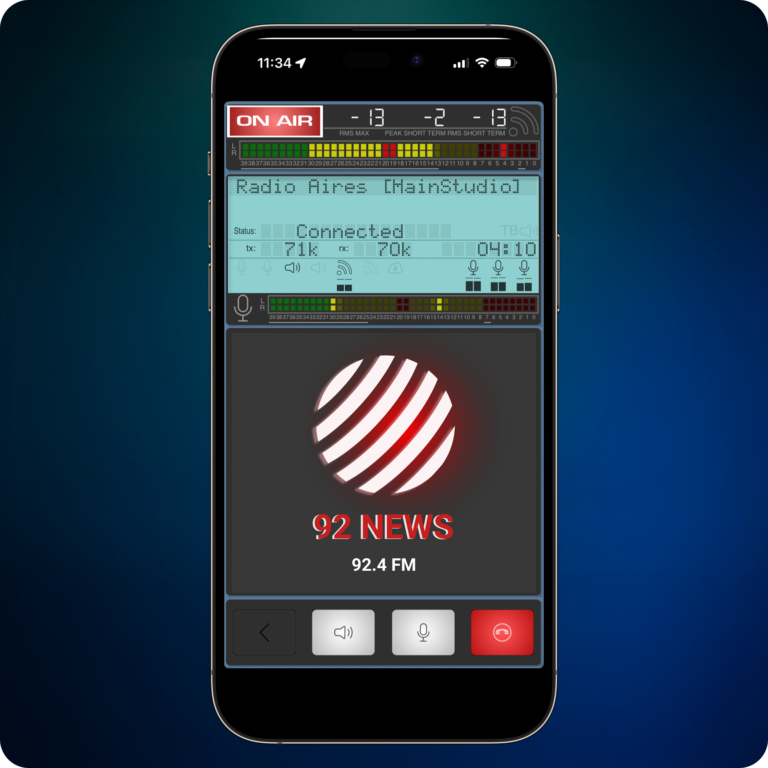
With Aires Reporter, you can broadcast live from any mobile device, allowing you to connect with your audience in real time, no matter where you are. Aires Studio seamlessly syncs with this tool, ensuring remote broadcasts maintain the same high audio quality as in-studio productions. From on-site interviews to event coverage, Aires Reporter ensures you’re always ready to capture the moment.
Integration with Aires Studio also allows you to control remote audio directly from the studio, enhancing production and maintaining quality at all times. It’s an essential tool for journalists, content creators, and live events that require flexibility and speed without compromising quality.
Automatic Scene Switching
One of the latest innovations is the Automatic Scene Switching Configuration, which now allows scenes to switch automatically based on microphone modulation, bringing more dynamism to video broadcasts controlled via the Camera Controller panel.
Additionally, browser-based calling integration lets you make calls directly from the browser using mobile devices or even another computer, making it easier to communicate with guests and reporters quickly and conveniently.
Resources
FAQ
What is the difference between Aires Studio and a traditional physical mixing console?
Aires Studio offers the same functionalities as a traditional physical mixing console but with the flexibility and power of a digital platform. The main difference lies in its ability to manage multiple audio and video sources in one place, with automation and customization tools that save time and enhance production quality. While it’s a digital environment, the learning curve is smooth, especially for those already familiar with physical consoles.
How can I connect my physical devices to Aires Studio?
Aires Studio is compatible with a wide range of physical devices, including microphones, audio interfaces, and cameras. Using protocols like NDI and SIP telephony, you can easily connect these devices over your network. Additionally, external equipment can be integrated through USB audio interfaces or sound cards, making the transition seamless for studios with existing hardware.
Can I continue using my external audio processors and effects racks with Aires Studio?
Absolutely! Aires Studio supports VST plugins, meaning you can integrate your external effects or audio racks digitally. While physical equipment like compressors and equalizers are still useful, Aires Studio lets you apply these effects digitally in real time, giving you more control and flexibility in mixing without the need for physical hardware.
Is it difficult to learn Aires Studio if I’m used to physical mixing consoles?
No, Aires Studio is designed to be intuitive, especially for users experienced with physical consoles. The graphical interface provides a familiar environment where you can adjust audio levels, mix sources, and switch video scenes just like you would on a physical console. The big advantage is that Aires Studio offers more automation and customization, allowing you to work more efficiently.
What are the recommended hardware requirements for using Aires Studio?
For optimal performance, we recommend an Intel Core i7 processor or higher, along with at least 16GB of RAM. This setup will allow you to handle multiple video sources, apply real-time effects, and maintain an uninterrupted workflow. Additionally, a dedicated graphics card, such as an NVIDIA GTX 1660 or better, is essential for video processing. Make sure you have an SSD of at least 1TB for fast and efficient storage of your projects.
Can Aires Studio be used on mobile devices such as iPads or cell phones?
Yes, the platform is versatile and has specific versions for iPads (5th generation and above), iPhones, and Android smartphones. While the computer version offers 12 mixing channels, the smartphone version adapts to a smaller interface with 4 Mixer Tracks, offering all the essential components for external broadcasts and live event coverage with agility.
Which audio interface should I purchase for my main studio?
For main studios, we recommend using a USB audio interface with ASIO driver support, which ensures low latency in processing. Ideally, the equipment should have at least 8 input channels and 8 output channels, allowing the connection of multiple microphones, headphones, and other essential radio components.
Does the software also work on Apple computers (Mac)?
Yes, Aires Studio has a dedicated version for macOS (version 10.15 or higher). To run smoothly, the hardware requirements for Mac include a 2.5 GHz Intel Core i5 processor or higher and 16 GB of RAM.
What is the internet connection requirement for stable external transmissions?
To ensure stable, high-definition communication with reporters and mobile units, a dedicated broadband Internet connection of at least 10 Mbps is recommended. In addition, you must configure your router and firewall to allow a range of dedicated UDP ports (such as 32000–32020 or 33000–33020) for integrated codec data traffic.
If I encounter issues, what support channels are available?
Playlist offers several support channels, such as WhatsApp, phone, email, and an exclusive customer area on the website for opening tickets. In addition, the company provides user manuals, tutorial videos on YouTube, and training webinars so that your team can learn how to operate the systems with ease.
Related Products
Automation Suite
Total Control Over Your Radio Broadcasts
Planner
Your Radio Programming at Your Fingertips
Playlist Digital
Software for complete automation of your on-air studio
Audie
Software para automatización completa del estudio al aire