Playlist Digital

Playlist Digital revolutionizes programming management, offering reliable and adaptable playout for broadcasters of any size. It simplifies operations, ensures stability, and takes your station to the next level with robust and efficient technology.

+30 years ensuring stability: Stability is a fundamental pillar for any broadcaster, and Playlist Digital was developed to guarantee uninterrupted transmissions.

US$570.00/year

playlist digital
playlist programação

Total Automation of Programming

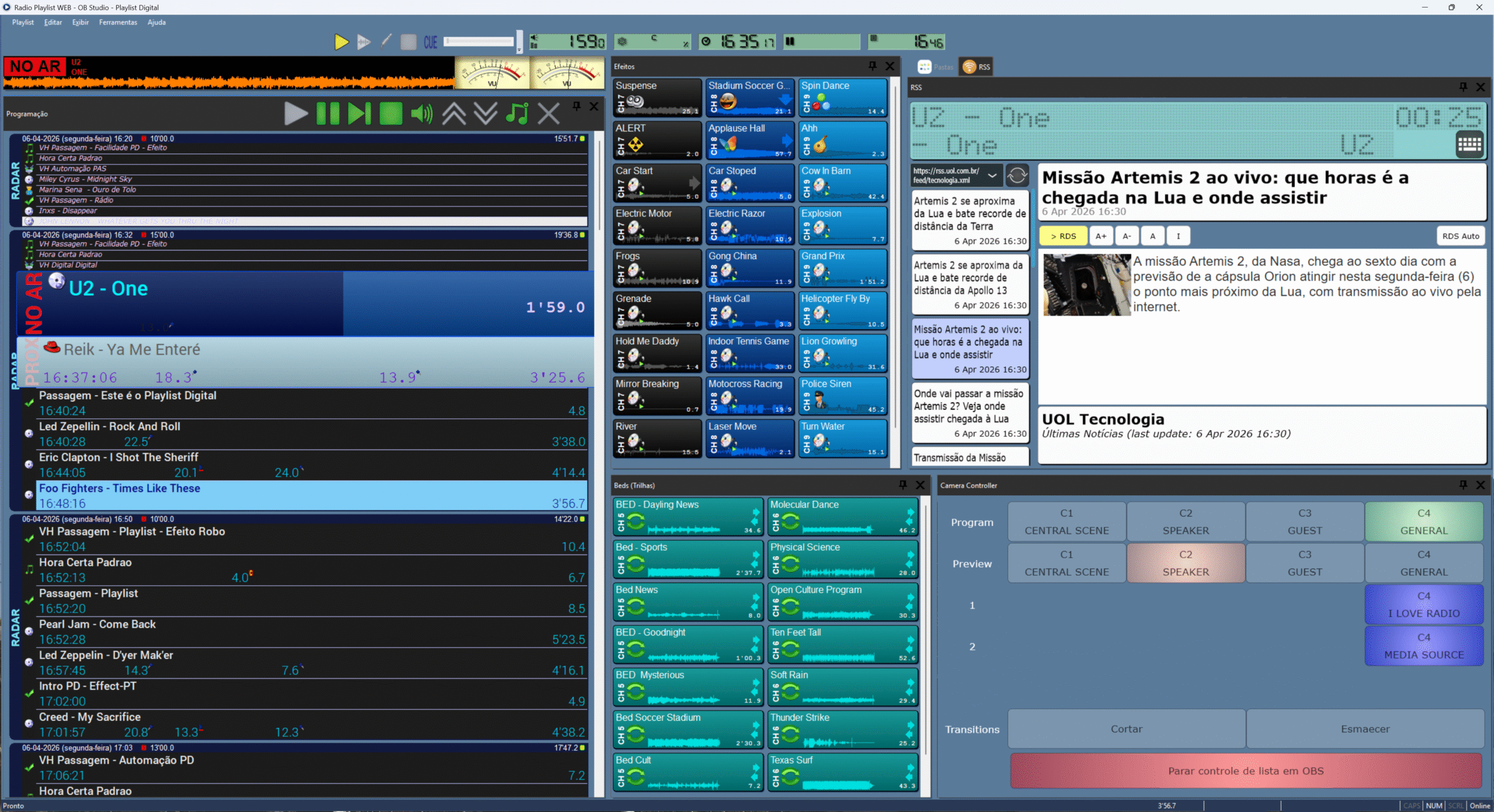
With Playlist Digital, daily programming becomes an automated and efficient process. From creating playlists to live broadcasting, the software allows you to set up custom rules to ensure that each piece of content is aired at the right time, without interruptions or human errors.

Additionally, the preview function ensures that you can review and adjust your programming before going live, providing full control and maximizing the quality of your broadcasts.

QuickStart Panel: Unmatched Agility

The QuickStart Panel in Playlist Digital is a powerful tool that provides quick and direct access to the most frequently used functions in a broadcaster’s daily operations. With a simplified and intuitive interface, operators can start playlists, adjust audio settings, and perform scene cuts with just a few clicks. This functionality is ideal for live broadcasts, where agility is essential to ensure a smooth and professional experience.

Additionally, the QuickStart Panel allows for customization of available commands, adapting to the specific needs of each broadcaster. This means that the most important resources for your operation will always be within reach, optimizing workflow and reducing time spent on repetitive tasks. With this tool, Playlist Digital ensures that your team stays focused on what truly matters: delivering high-quality content to your audience.

playlist painel quickstart
playlist camera controller

Advanced Camera Control

Playlist Digital elevates broadcasters’ audiovisual production by seamlessly integrating with plugins like OBS and VMix. This functionality allows for camera control and visual broadcast management directly within the platform, simplifying operations and increasing efficiency. By combining audio and video content, broadcasters can create immersive multimedia experiences, ensuring a competitive edge in the market.

The camera controller panel displays detailed information about the scenes configured in the video streaming software, providing full control during broadcasts. To activate this feature, simply access the View menu and select Camera Controller. This integration transforms Playlist Digital into a true command center for high-quality visual and audio productions.

Remote Triggering for Inter-Station Broadcasting

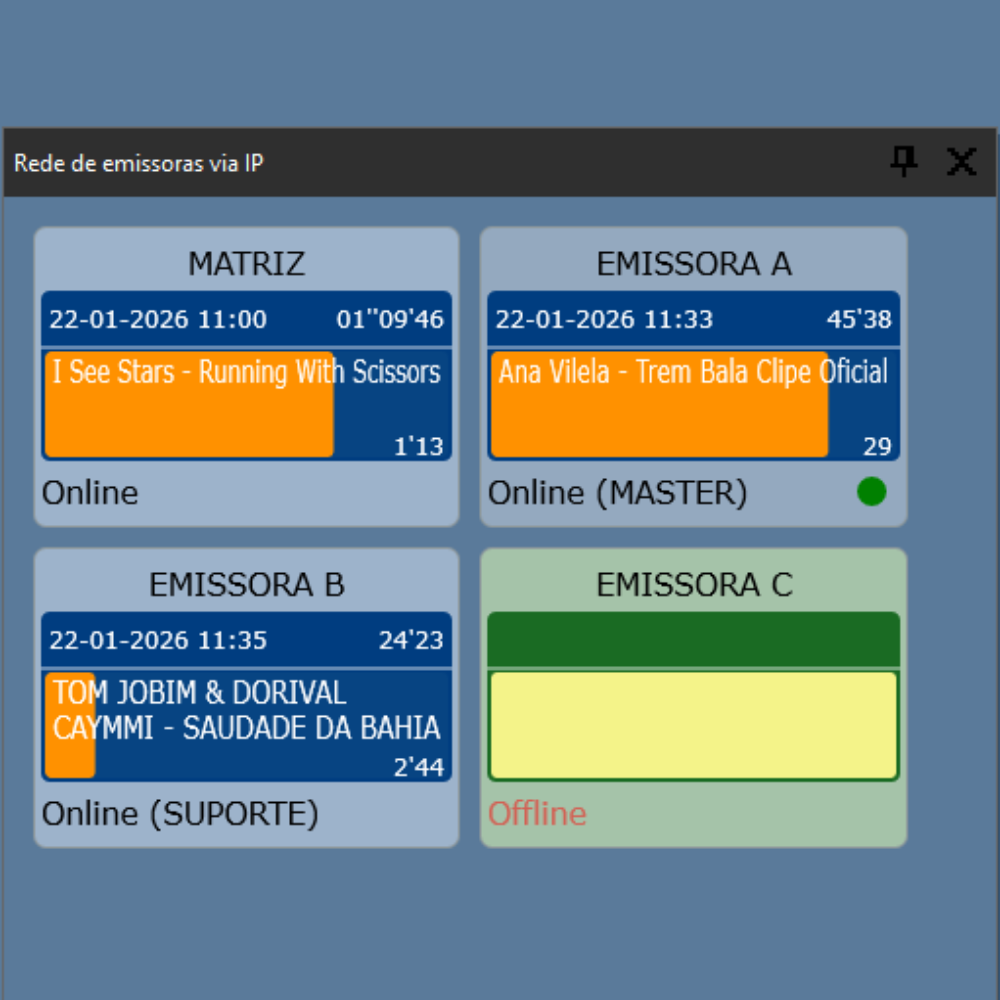
Playlist Digital integrates remote triggering functionality, an advanced tool that allows broadcasters located in different cities to share content efficiently. Using connections such as VPNSAT, or DTMF signals, stations can synchronize broadcasts with exceptional precision. This functionality is ideal for radio networks that want to maintain consistency in their broadcasts, regardless of the distance between stations.

In remote triggering, the PLAY and STOP commands are essential to ensure precise control of broadcasts between stations. The PLAY command automatically starts the transmission of content at the receiving station at the exact moment, synchronizing with the trigger. On the other hand, the STOP command instantly interrupts the broadcast, ensuring a clean and professional cut. These commands enable uninterrupted and highly efficient operations, even in complex scenarios, such as simultaneous content broadcasting across multiple stations.

playlist transição audio

Customizable Audio Transition Settings

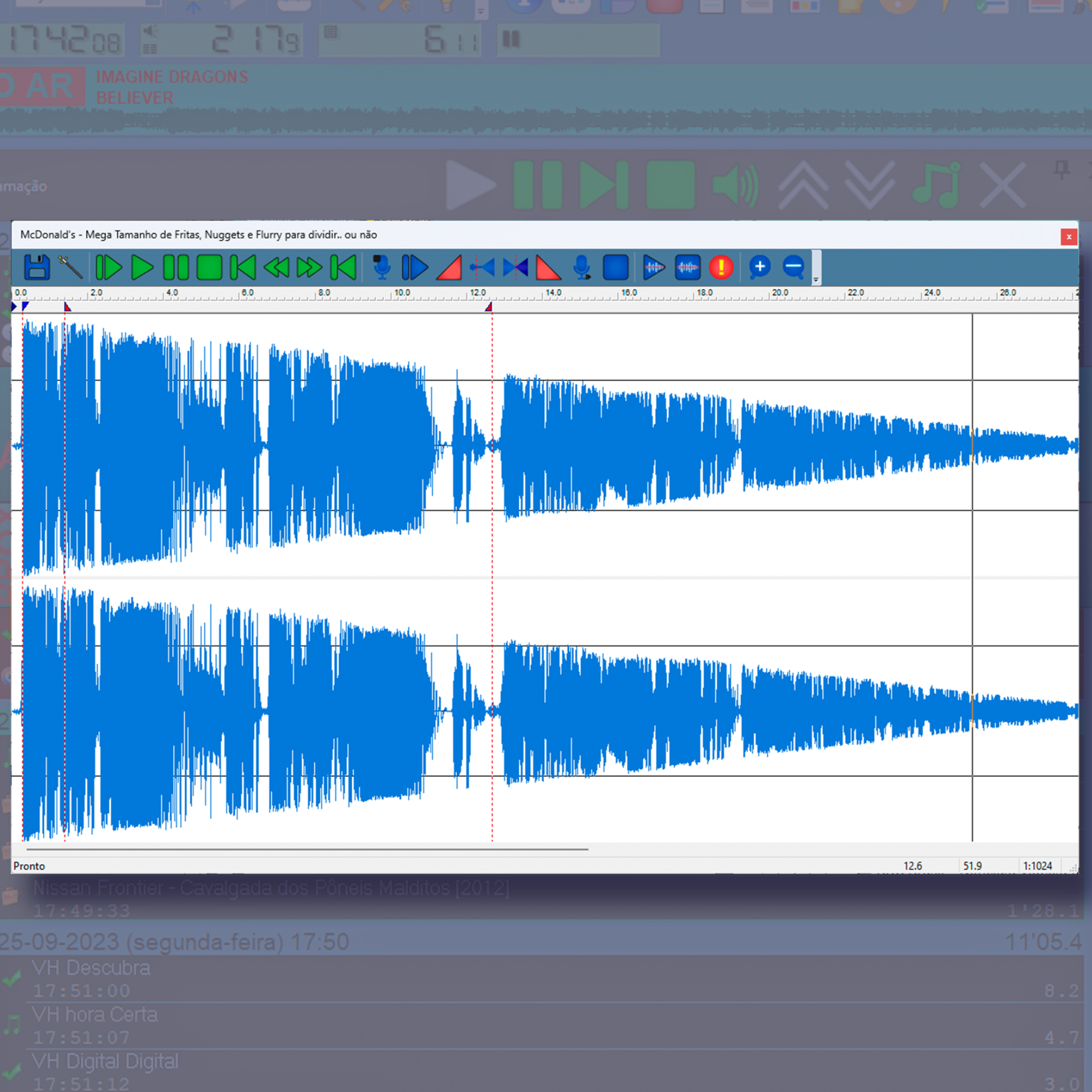
Playlist Digital allows you to adjust transitions between tracks and segments in detail, ensuring that every cut is smooth and professional. From crossfade adjustments to volume control, you can customize every aspect of the broadcast to deliver a flawless auditory experience to your audience.

This functionality not only enhances sound quality but also enables broadcasters to maintain a unique identity by adjusting settings according to the style of their programs and the expectations of their listeners.

RSS Panel: Real-Time Updates

The RSS Panel in Playlist Digital provides a practical and efficient way to integrate news updates directly into your station’s programming. Users can configure RSS feeds of their choice by entering the corresponding links. Whenever there is an update in the feed, Playlist Digital captures the relevant information and makes it available in real time, ensuring that your station is always aligned with the latest developments.

Additionally, the RSS Panel integrates directly with the station’s RDS system, allowing the headlines of featured news to be automatically transmitted to the RDS. This feature ensures greater interaction with the audience, keeping listeners informed directly through their radio devices. Another standout feature is the ability to customize important messages, which are also sent to the RDS automatically. With the RSS Panel, your station gains agilityprecision, and a competitive edge in its content.

Resources

FAQ

Playlist Digital is a comprehensive automation solution designed to manage radio station programming in a robust and efficient manner. It offers advanced tools for playlist creation, broadcast control, and customization, ensuring uninterrupted, high-quality broadcasts. It is ideal for stations looking to professionalize and optimize their operations.

No, Playlist Digital was developed to facilitate the migration of any station, regardless of the current system. With a dedicated technical support team and simplified processes, you can transfer your content, settings, and data without operational interruptions, ensuring a smooth and secure transition.

Thanks to its robust architecture, Playlist Digital is designed to operate 24/7, even under the most demanding conditions. It offers automatic backup systems, real-time monitoring tools, and advanced settings that minimize risks and ensure continuous, reliable broadcasting.

Playlist Digital combines technical stability with advanced features, such as multiplatform integration, camera control via plugins like OBS and VMix, and an RSS panel for automatic content updates. These characteristics make it a complete and flexible tool, capable of meeting the demands of stations of any size.

The computer must have an Intel Core i5 processor (11th generation or newer), at least 8 GB of RAM, and a 21-inch monitor. In addition, it is important to have at least 50 GB of free disk space, and the use of an SSD is recommended to ensure that the system does not crash.

It is recommended to use two sound cards: one to play the programming that goes to listeners and another just for the announcer to listen to the audio before releasing it (pre-listening). The cards that come with the computer (on-board) should only be used for this pre-listening, as they are not of sufficient quality for broadcast.

You can use Windows 10 or Windows 11 (Home or Pro versions), or Windows Server 2019. It is essential that your computer’s disk uses the NTFS file system, which is more secure and prevents data loss.

All radio computers (such as those in the studio and commercial department) must be on the same local network. In order for them to exchange information, the main system folder (usually C:\PLAYLIST) must be shared with full access, allowing everyone on the network to read and write files to it.

You must save an image in PNG or JPG format with the name “Logo” (with the first letter capitalized) inside the broadcaster’s folder. The image size must be 150×150 pixels for recording reports or up to 250×250 pixels for commercial department documents.

Playlist offers several support channels, such as WhatsApp, phone, email, and an exclusive customer area on the website for opening tickets. In addition, the company provides user manuals, tutorial videos on YouTube, and training webinars so that your team can learn how to operate the systems with ease.

Related Products

aires studio logo

Aires Studio

Transform Your Radio Station with Aires Studio

planner icon

Planner

Your Radio Programming at Your Fingertips

logger icon

Logger 2.0

Automatic Monitoring and Recording with Logger 2.0

automation suite icon

Automation Suite

Total Control of Your Radio Broadcast