Logger 2.0

Logger 2.0 is the complete solution for recording and monitoring your broadcasts with quality and precision. With support for live streaming and integration with SHOUTcast and Icecast servers, you ensure that every detail is stored and accessible at any time, wherever you are.

US$470.00/year

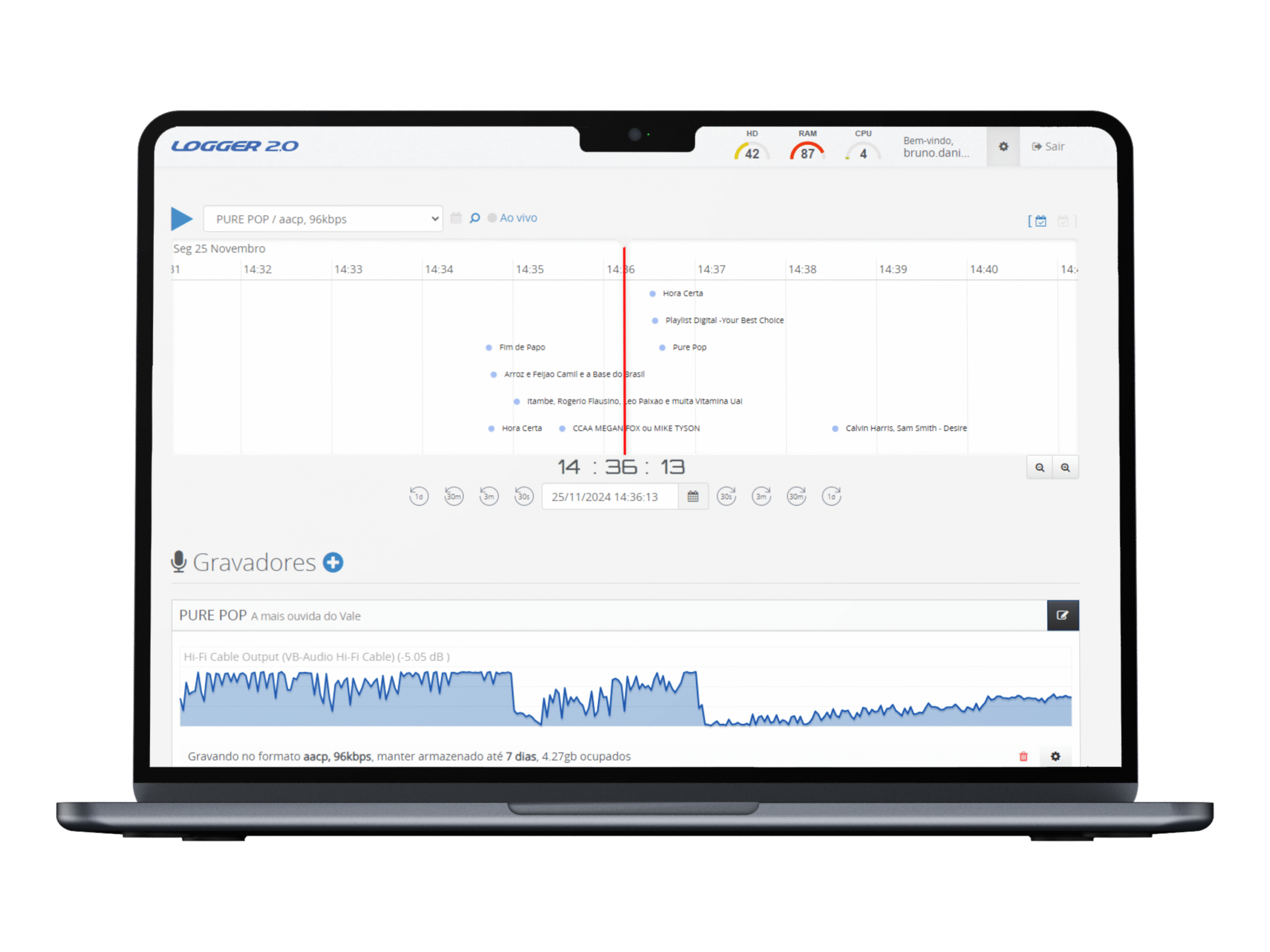
logger 2.0 principal
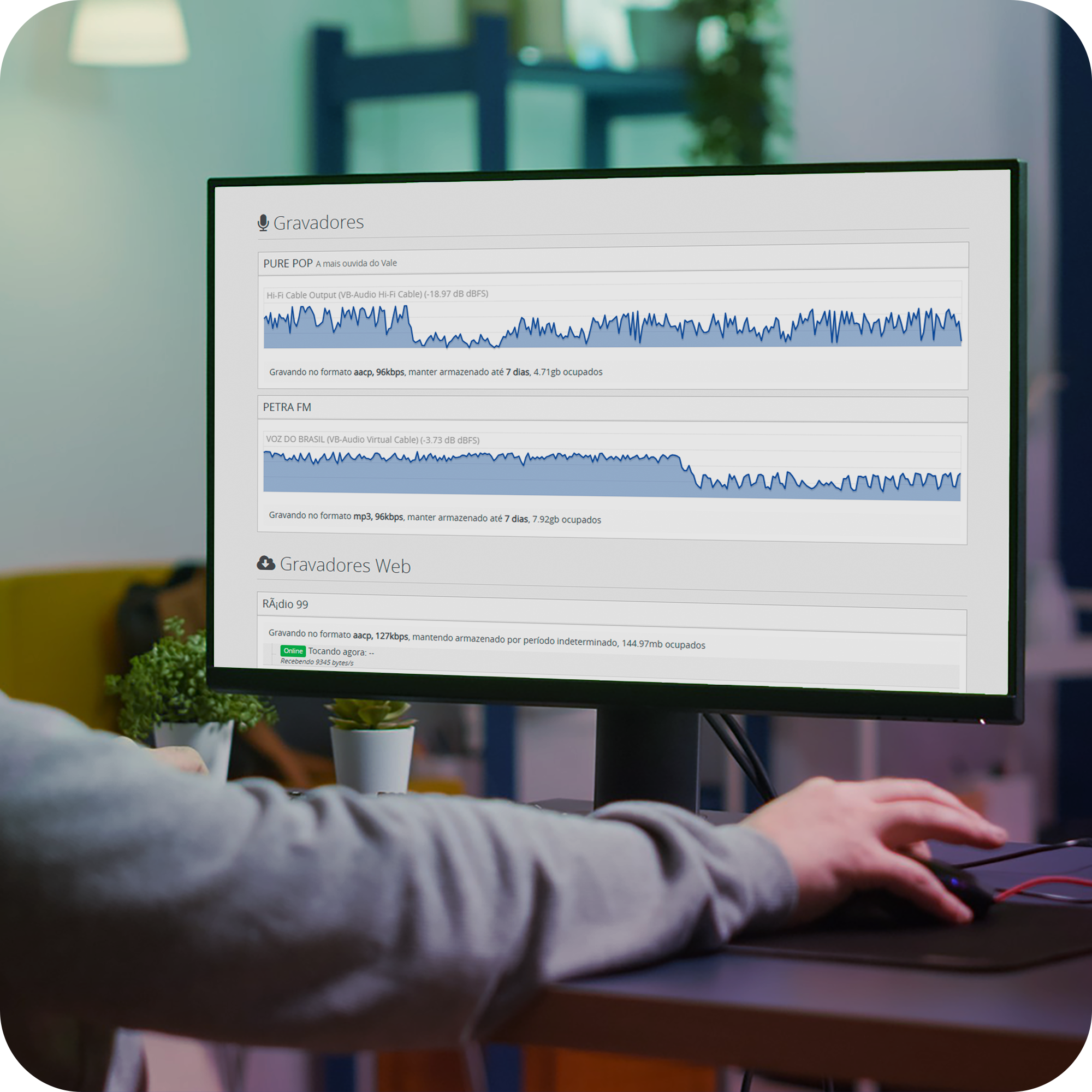
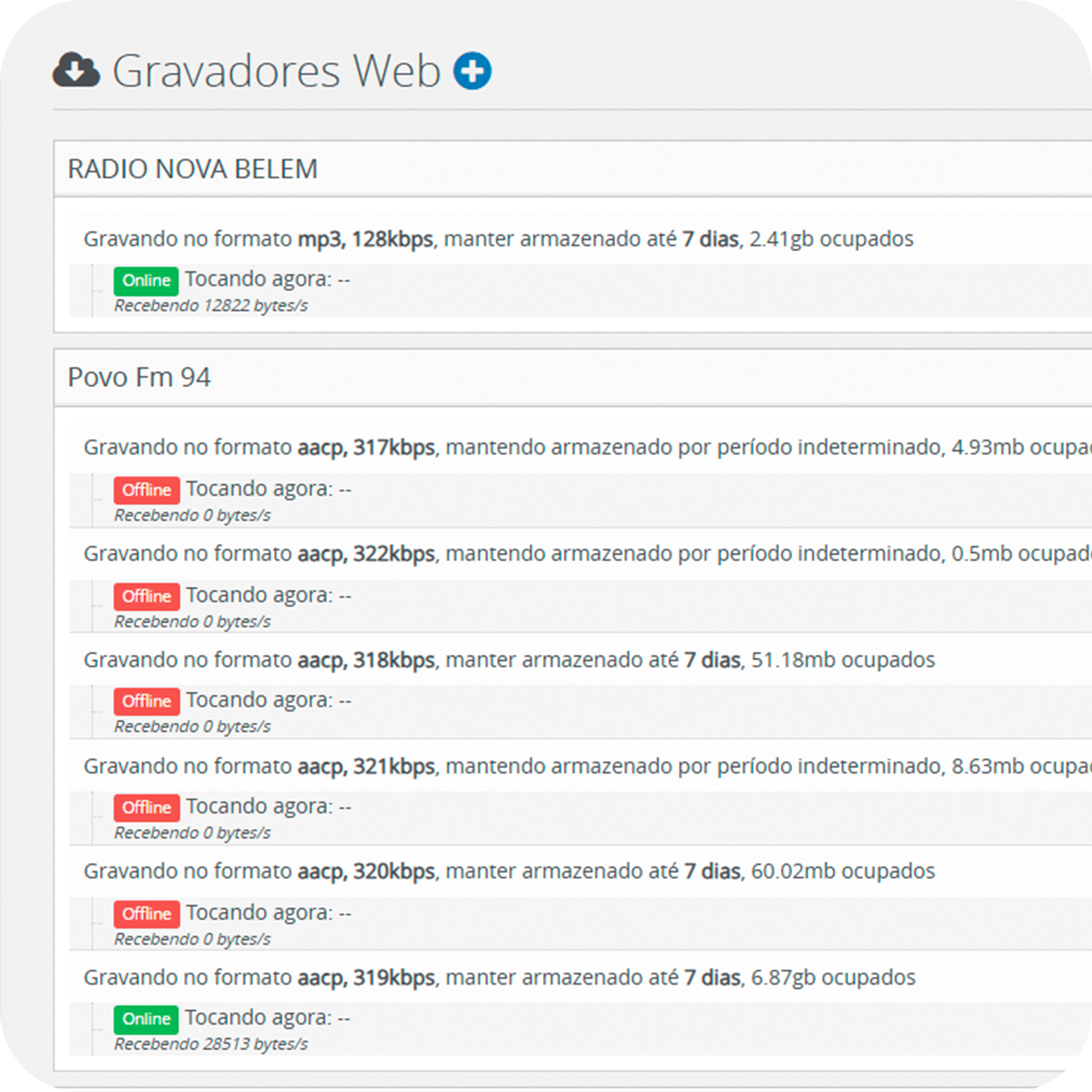
logger 2.0 gravação automatica

Automatic and Customizable Recording

Logger 2.0 allows you to configure automatic audio recordings from multiple sources, whether they are local audio inputs or streams from servers like SHOUTcast and Icecast. You can adjust the recording quality between 8 and 320 kbps, ensuring the best sound quality or saving storage space, depending on your station’s specific needs.

With configuration options for mono or stereo recording, and support for popular formats like AAC and MP3, Logger 2.0 adapts perfectly to different environments and technical requirements. Additionally, the simplified interface allows you to easily customize settings according to your station’s operations, all with just a few clicks.

Real-Time Monitoring and Interactive Timeline

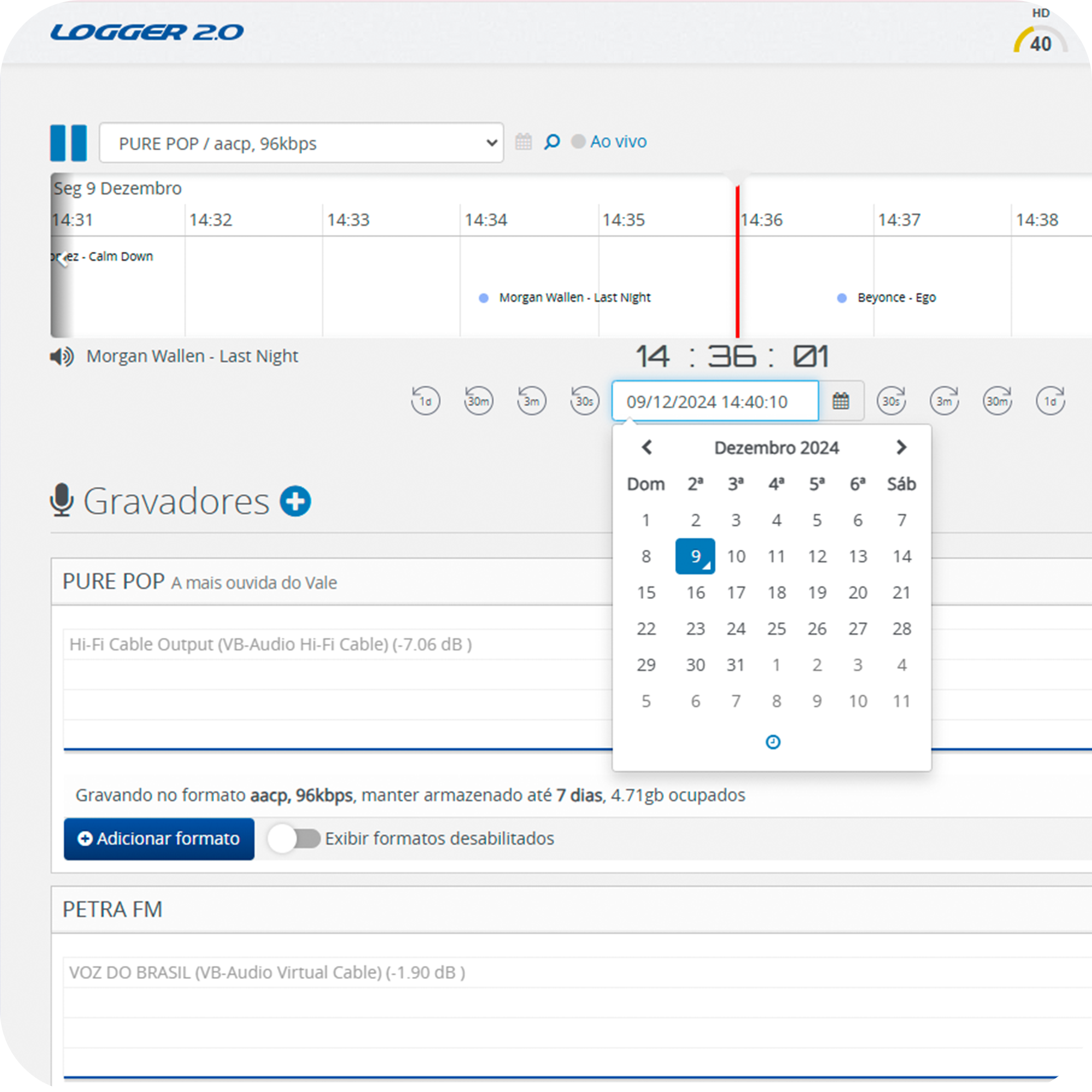
The interactive timeline in Logger 2.0 provides a clear and detailed view of all recordings made, allowing you to visualizelisten to, and select specific audio segments easily and quickly. With the real-time monitoring option, you can access what is being recorded at the moment, ensuring you have full control over the quality and content of your programming.

Additionally, the timeline offers tools to savesearch, and even download audio files from specific events. With these features, you can manage your broadcasts and review important content, ensuring that no relevant moment is lost and that you have complete flexibility to work with your recorded files.

logger 2.0 linha do tempo
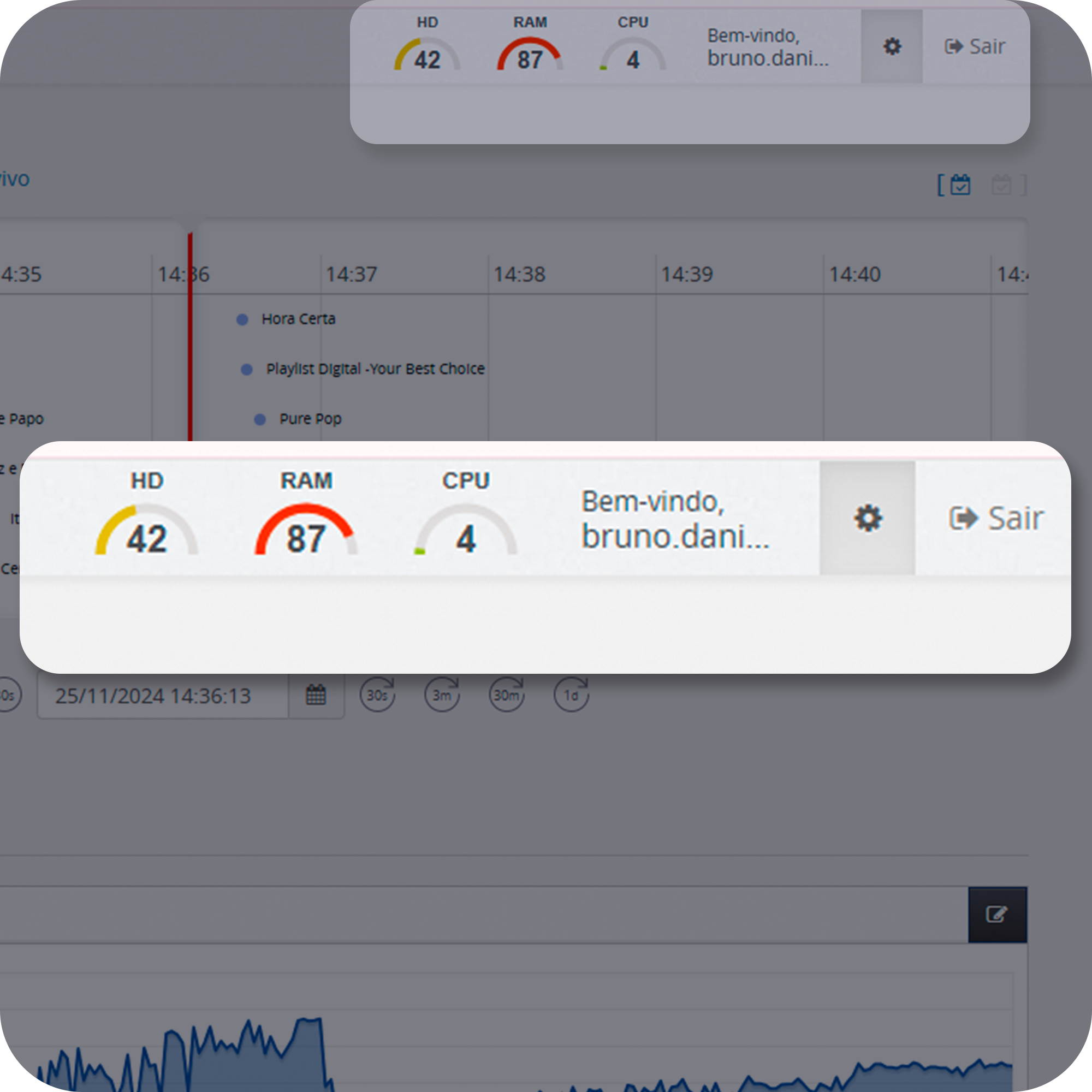
logger 2.0 notificações

Real-Time Notifications

Logger 2.0 offers full integration with streaming servers and other tools from Playlist Software Solutions, allowing your recordings to be automatically sent to SHOUTcast or Icecast servers. Additionally, the system is compatible with the ASIO driver, ensuring low latency and high precision during recordings, which is essential for stations that demand impeccable quality and synchronization.

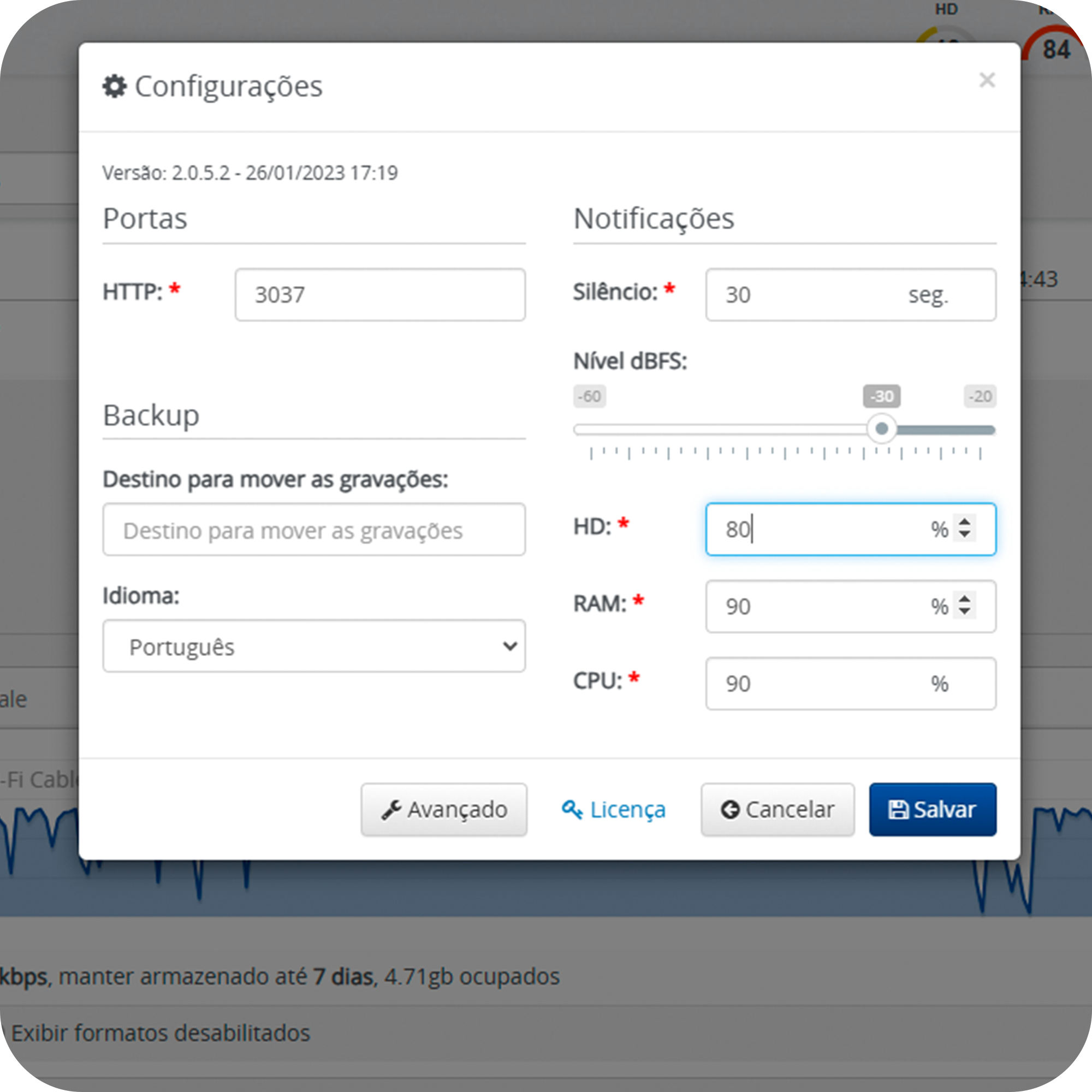
To ensure uninterrupted operation, Logger 2.0 also includes an alert notification panel that provides real-time updates on system status, CPU and storage usage, and potential failures. These alerts are sent via email or push notifications, offering peace of mind and enabling your technical team to make quick decisions to ensure everything runs smoothly.

Customer Reviews

Logo 98fm - Curitiba
98 fM - Curitiba
biz 93.9 FM e Excesso 102.1 FM
Logo 96fm
96 fM - Guanambi

Remote Recording and Connection with Multiple Devices

Logger 2.0 allows you to configure remote recordings, enabling the system to connect and record from other Logger devices in different locations. This functionality is ideal for stations operating in multiple studios or needing to monitor and record content from external broadcasts, ensuring that audio is captured with quality regardless of location.

Integration with multiple devices allows for a flexible setup, adapting to the specific needs of each station. Remote management simplifies recording control, even from a distance, providing complete autonomy and efficiency for teams working in distributed operations.

Logger 2.0 gravação remota
logger 2.0 compatibilidade drivers

Compatibility with Professional Audio Drivers

Logger 2.0 is fully compatible with ASIO drivers, a professional standard developed to deliver low latency and high-quality audio recording. This allows the system to capture audio signals with extreme precision, maintaining perfect synchronization, which is essential for live broadcasts and critical recordings requiring high sound fidelity.

This ASIO compatibility makes Logger 2.0 an ideal solution for stations using advanced audio equipment, such as mixers and digital interfaces, ensuring seamless integration between hardware and software. The result is a more stable operation and superior control over the quality of broadcasts and recordings.

Customizable Storage and Automatic Backup

Logger 2.0 offers advanced storage options, allowing you to configure where audio files will be saved, whether locally, on network servers, or in cloud storage. Additionally, the system features automatic backup functionality, ensuring that all recorded files are protected against failures or data loss, safeguarding the integrity of the captured content.

The flexibility in storage and backup options provides security and convenience for the technical team, enabling recordings to be accessed quickly and securely, wherever they are. This is essential for stations handling large volumes of data and requiring robust solutions to manage and protect their recordings.

logger 2.0 armazenamento personalizavel

Resources

FAQ

Logger 2.0 allows you to configure automatic audio recordings from various sources, including live streams from SHOUTcast and Icecast servers. You can monitor and record in real time, adjusting the quality and format of the audio to ensure all your broadcasts are captured with maximum fidelity.

Yes, Logger 2.0 features an interactive timeline that allows you to monitor and access recordings in real time. The tool enables you to view the content being recorded and listen to files at different moments, all through an intuitive interface that facilitates quick access to captured audio.

Yes, Logger 2.0 is designed to support multiple recording sources, whether they are local audio inputs, online streams, or even remote recordings from other Logger devices. This allows you to have complete control over multiple broadcasts at the same time, ensuring the capture of all important content for your station.

Logger 2.0 offers customizable storage options and automatic backup, ensuring that all recorded files are securely saved, whether on local servers, networks, or cloud storage. With these features, your recordings are always protected, even in the event of technical failures or hardware issues.

Yes, Logger 2.0 is compatible with professional drivers, such as ASIO, which provide low-latency and high-precision audio recordings. This ensures you can easily connect the software to advanced equipment, such as mixers and digital interfaces, optimizing recording quality and maintaining perfect synchronization for your real-time broadcasts.

Logger 2.0 functions as a complete system for capturing and monitoring radio transmissions, operating as a Windows Service that ensures uninterrupted or scheduled content recording. The system is managed via a web browser, allowing local or remote control.

The integration of Logger 2.0 with Playlist Digital automates the sending of metadata to an interactive timeline, allowing the location of audio playbacks through text searches and facilitating audits. According to sources, the software simultaneously records multiple stations in MP3 or AAC formats (up to 320 kbps) from local, web, or remote sources, requiring only a single license. The system also professionalizes commercial verification with standardized reports and ensures operational security through automatic backups and real-time notifications (via email or push) regarding silence or hardware failures.

Textual searches for commercials in Logger 2.0 are performed by clicking the magnifying glass icon above the timeline, allowing you to locate media by name through the integration of metadata from software such as Playlist Digital. For exact results, the user can enter the title in double quotes or filter plays by right-clicking on a title already displayed in the list. Upon finding the desired record and double-clicking “Listen,” the system automatically positions the marker (pipeline) at the exact time of broadcast for immediate verification.

Yes, the software offers complete mobility, allowing you to access all recorded content from anywhere via mobile devices such as smartphones, tablets, and laptops. Since management and monitoring are done via a web browser (Intranet or Internet), you can listen to live audio, download past files, and even remotely change event schedules.

Playlist offers several support channels, such as WhatsApp, phone, email, and an exclusive customer area on the website for opening tickets. In addition, the company provides user manuals, tutorial videos on YouTube, and training webinars so that your team can learn how to operate the systems with ease.

Related Products

automation suite icon

Automation Suite

Total Control of Your Radio Broadcast

planner icon

Planner

Your Radio Programming at Your Fingertips

aires studio logo

Aires Studio

Transform Your Radio Station with Aires Studio

audie logo

Audie

Engage Your Audience, Automate Your Promotions