New Features and Improvements
Smarter, More Responsive UI
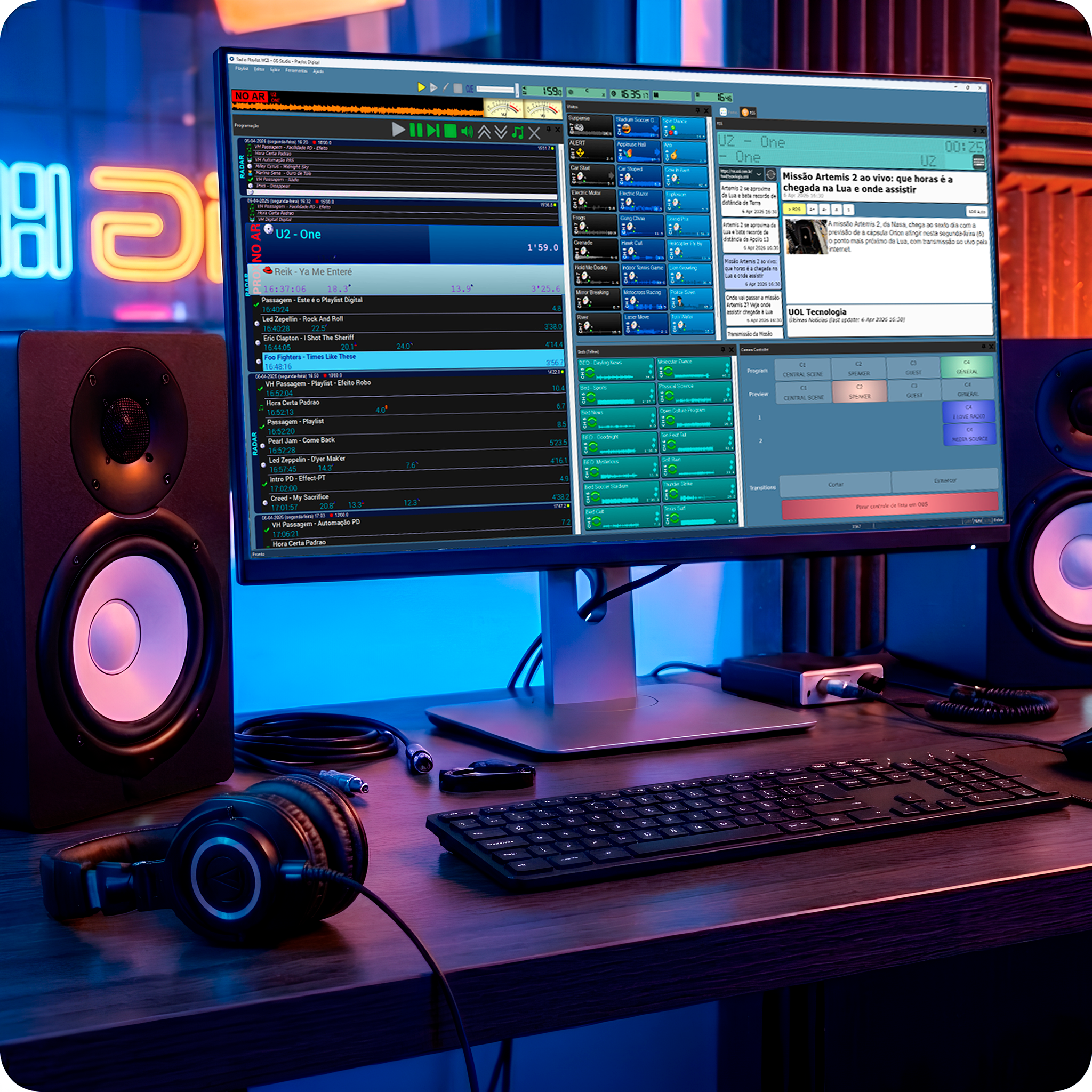
Playlist Digital now features background processing for heavy tasks, such as folder loading and metadata reading. This ensures the system remains fully responsive, eliminating interface freezes.
Interface icons have undergone visual improvements and now automatically adjust to the monitor’s DPI and resolution. The result is a more modern, organized interface with better readability in any environment.
Smart Audio Health Monitoring
This update features a sophisticated audio health monitor that tracks performance in real-time. By automatically optimizing buffer settings, it eliminates potential glitches, guaranteeing a smoother and more dependable on-air experience.
DTS Technology and the Advancement of Hybrid Radio
A standout feature in version 5.0.9.04 is the enhanced integration with the hybrid radio landscape. By supporting technologies like DTS AutoStage, Playlist Digital stays ahead of the curve as this standard expands across Brazil and global markets.
By expanding metadata delivery via modern protocols such as UDP and HTTP in JSON format, Playlist Digital now plays an even more strategic role in this new landscape. In practice, this means that programming information, such as song titles, artists, album art, and additional data, can be distributed in real-time to multiple platforms, including embedded systems in hybrid radio-compatible vehicles.
This advancement aligns with a clear market trend: the convergence of traditional broadcast and the digital environment. Solutions like DTS allow radio to go beyond audio, delivering a richer and more interactive experience to listeners through visual elements, personalization, and internet integration. By aligning with this international standard, Playlist Digital not only evolves technically but also brings Brazilian broadcasters in sync with the world’s leading innovations in the sector.
Advanced CUE and Enhanced QuickStart Control
The CUE (pre-listening) feature has been expanded and is now more powerful than ever: in addition to local files, you can now monitor any streaming URL—such as other stations or feeds—as well as audio input sources like satellite or line-in. All of this happens in isolation, without any interference with the live on-air programming.
The QuickStart controls have been refined for a more intuitive operation. With simple drag-and-drop movements, operators can insert content directly into the playlist or adjust volumes with precision. Holding the SHIFT key activates immediate volume control, making the process even faster and more natural.
Faster Navigation and Operation
Studio productivity has been boosted with new keyboard shortcuts for quick playlist navigation (C, E, T). Additionally, when setting or removing a ‘Start Block,’ a new confirmation message prevents accidental changes, providing extra security for live operations.
Designed for stations operating with massive libraries, Playlist Digital now features a global file caching system that significantly accelerates media verification and loading. This improvement directly impacts overall system performance, making navigation through folders, logs, and grids much faster and more responsive, while optimizing hardware resource usage.
Greater Reliability in Playback and Data Handling
The LiveStreamSource now features automatic reconnection in the event of a lost connection, including consecutive failure tracking to prevent infinite loops. This ensures greater robustness when playing streaming content.
In terms of data handling, RTF file parsing has been significantly improved. The system now extracts text with full fidelity, correctly preserving accents and special characters. This ensures higher precision in XML generation and seamless integration with external platforms.
Text file management has also evolved. These files now receive specific handling within the MD5 hash system, featuring dedicated organization and automatic directory creation. In practice, this results in a more organized and efficient environment, fully prepared to handle large volumes of content with superior performance.
Why update to Playlist Digital 5.0.9.04?
The improvements in this version reflect real-world market demands and essential adjustments to ensure continuity, stability, and efficiency for stations powered by Playlist Digital.
Playlist customers with an active PAS (Support Agreement) are eligible for this update. Simply visit the Client Area at playlistsolutions.com, log in, and download the ‘Playlist Digital 5.0.9.04’ installer.
Playlist Software Solutions remains committed to following the evolution of radio, providing constant updates to meet the daily needs of the broadcasting industry.
Next:
How to check if your Playlist is up to date
Keeping Playlist Digital up to date is essential to ensuring stability, high performance, and access to the latest system enhancements. In this article, we explain why updates are critical, how to check your current version, and provide a step-by-step guide to updating your software safely.