Choosing the right computer
If you are already a Playlist customer and want to purchase a new machine or are just starting to use the system, it is important to know the minimum requirements and recommended configurations to ensure the best performance.
Playlist works well on any standard device on the market, but taking certain precautions when choosing your computer can make all the difference.
In this guide, you will discover which operating system, hard drive, SSD, processor, RAM, sound card, and internet connection are ideal for Playlist Digital to run smoothly.
Operating system
We always recommend using current and updated versions of Windows. The system works fully on Windows 10 versions, but as this version of Windows is no longer supported, the ideal solution for your new computer is to install Windows 11.
Tip: Opt for Windows 10 Pro or Windows 11 Pro versions, especially in main studios or servers with multiple network connections.
Support for Windows 10 has come to an end, as can be seen on the Microsoft website:
HD (Hard Drive)
Storage capacity directly influences the station’s collection of audio files, commercials, and recordings.
The larger the storage capacity, the more content you can add to your collection. We also recommend 7200 rpm hard drives. As a reference, we based our calculations on an average 3-minute MP3 file with 192 kbps:
Disk Space | Average number of songs (Audio files of +-5MB) |
320 GB | up to 71 thousands songs |
500 GB | up to 110 thousands songs |
1 TB | up to 221 thousands songs |
Please note that the operating system requires free space to function (we recommend at least 50GB), and installed programs also consume some of the available space.
The files may also be larger or smaller than those mentioned above, which directly influences the space available for the collection.
SSD
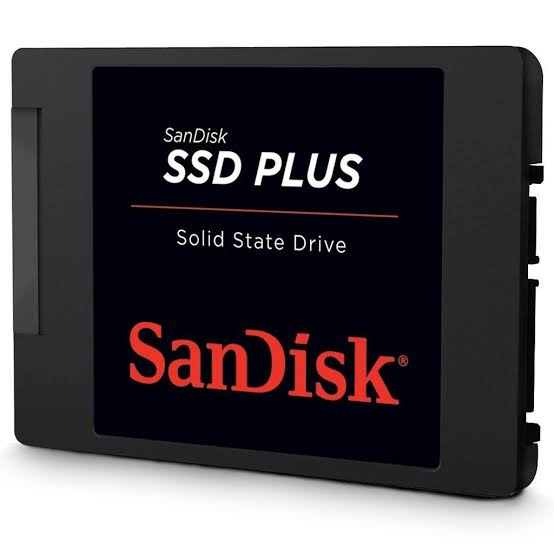
An SSD is highly recommended. With it, the operating system and Playlist software will start up quickly, responses will be immediate, and the risk of crashes will be reduced.
The SSD can be used together with the HDD so that you can have speed and space at the same time, using a high-capacity HDD to store your collection, for example.
Consult your computer technician for more information.
Processor
The processor is the “brain” of the computer and has a direct impact on software fluidity. We recommend using modern processors with good responsiveness.
- Intel® Core™ i3 (10th generation) or higher
For even better performance:
- Intel® Core™ i5 (10th generation) or higher
RAM
RAM directly affects the system’s responsiveness.
- Minimum recommended: 8 GB
- Ideal for professional performance: 16 GB or more
More RAM results in greater stability and speed, especially during broadcasts, simultaneous recordings, and audio processing.
Audio Card
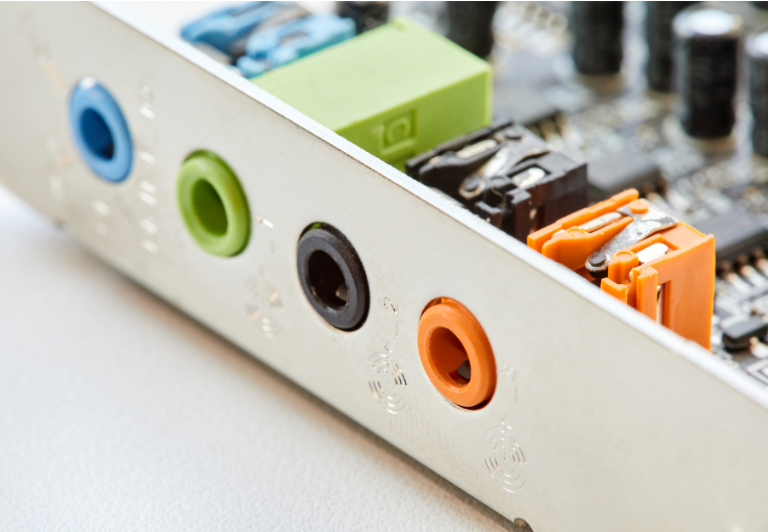
Playlist software requires audio cards that are compatible with Windows Audio (WDM) and DirectSound. Most cards available on the market work with these standards, but it is a good idea to check the technical descriptions and manuals before purchasing.
For main studios or professional operations, it is best to use dedicated audio interfaces, which ensure superior fidelity and stability.
Tip: It is always important to have channels available for broadcasting Playlist Digital’s audio, so when purchasing an audio interface, we recommend at least 4 channels.

Internet Connection
An internet connection is essential for activating and periodically updating Playlist software (at least once every 30 days).
Minimum network requirements:
- 10 Mbps broadband or higher
- Wired Ethernet connection (1 Gbps)
- Access to the software enabled on system and network firewalls
A stable network ensures continuous transmissions and secure communication between all Playlist modules.
Next: how to prepare the main computer for your radio station
Choosing the right equipment is the first step to ensuring maximum performance from Playlist Solutions software.
With an up-to-date computer, good audio interfaces, and a stable network, your station gains in security, sound quality, and operational efficiency, regardless of which Playlist product you use.
The next step is to optimize your computer.
Check out the complete tutorial below and learn how to prepare your system for even better performance.