


Ongoing Commitment to the Evolution of Your Radio Station
Over many years, Playlist Software Solutions has been creating new features and making new software versions available to licensed customers with active maintenance contracts through its Customer Area.
We always strive to keep up with the latest developments in operating system technology and other software, bringing advanced and innovative features to your radio station.
How to Check If Your Playlist Is Up To Date
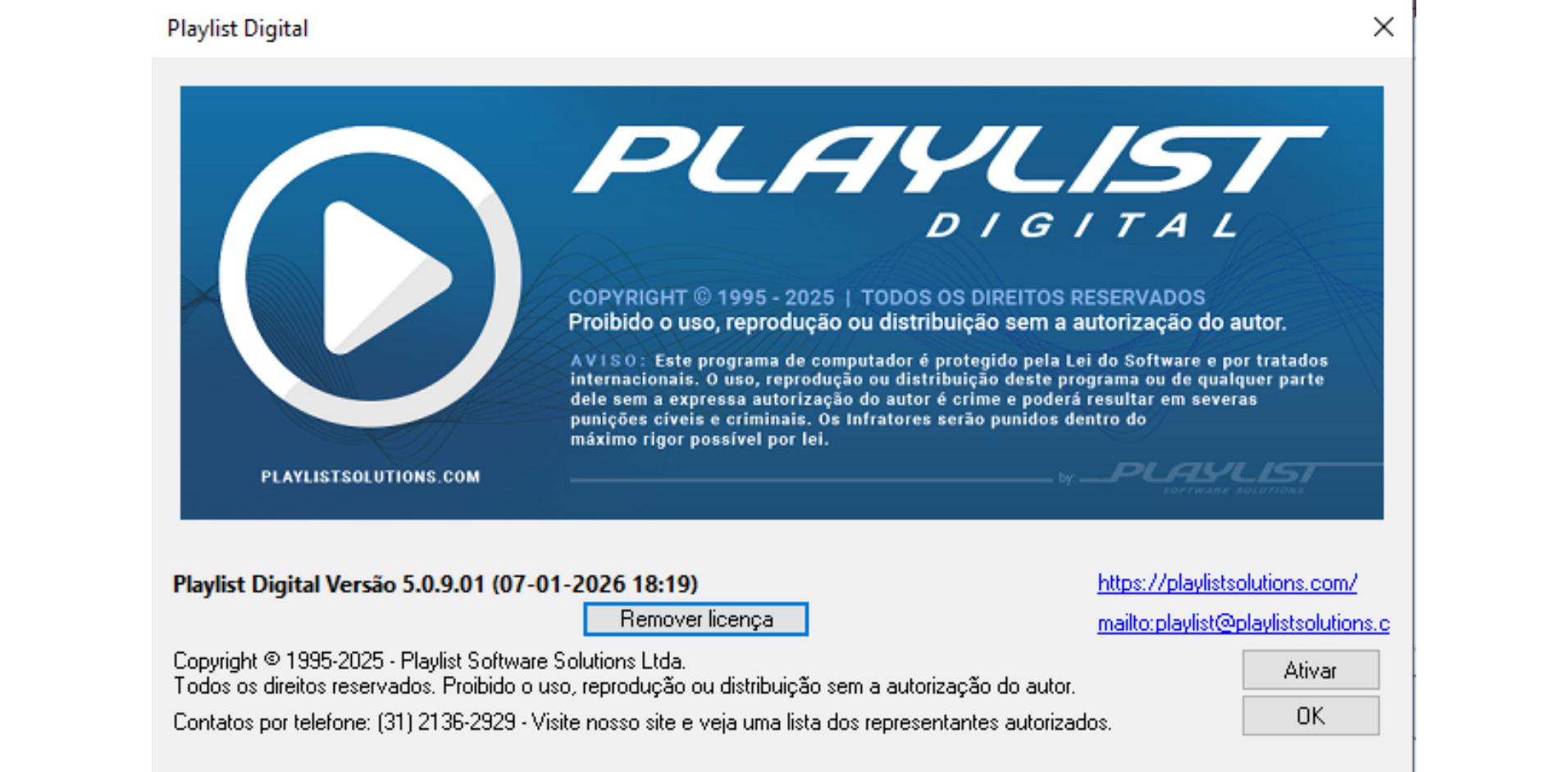
With Playlist Digital open, click on the “Help >>> About Playlist Digital” menu.
Shortly after that, a screen will appear with your Playlist Digital information, containing the data and also the version it is currently on.
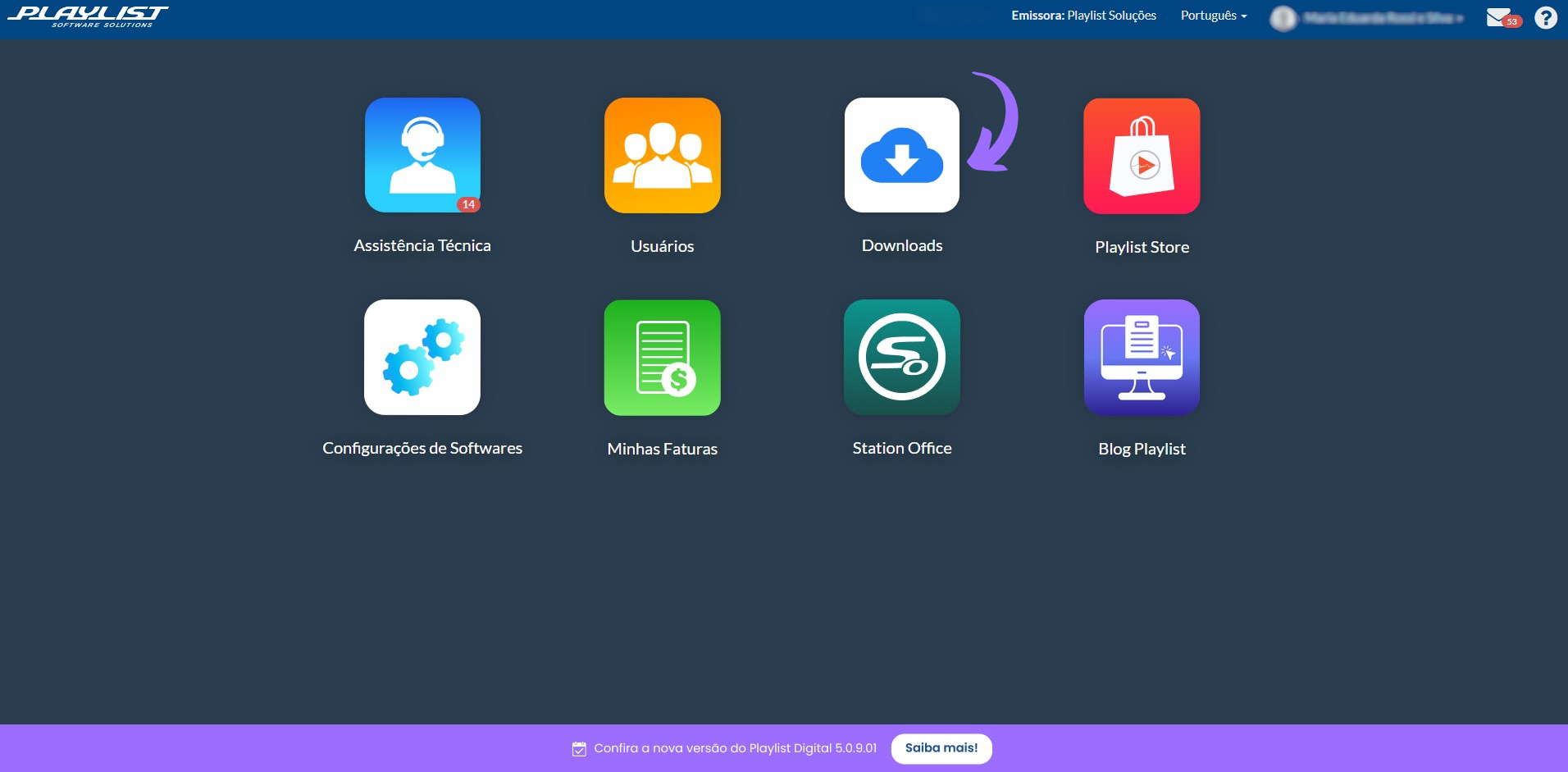
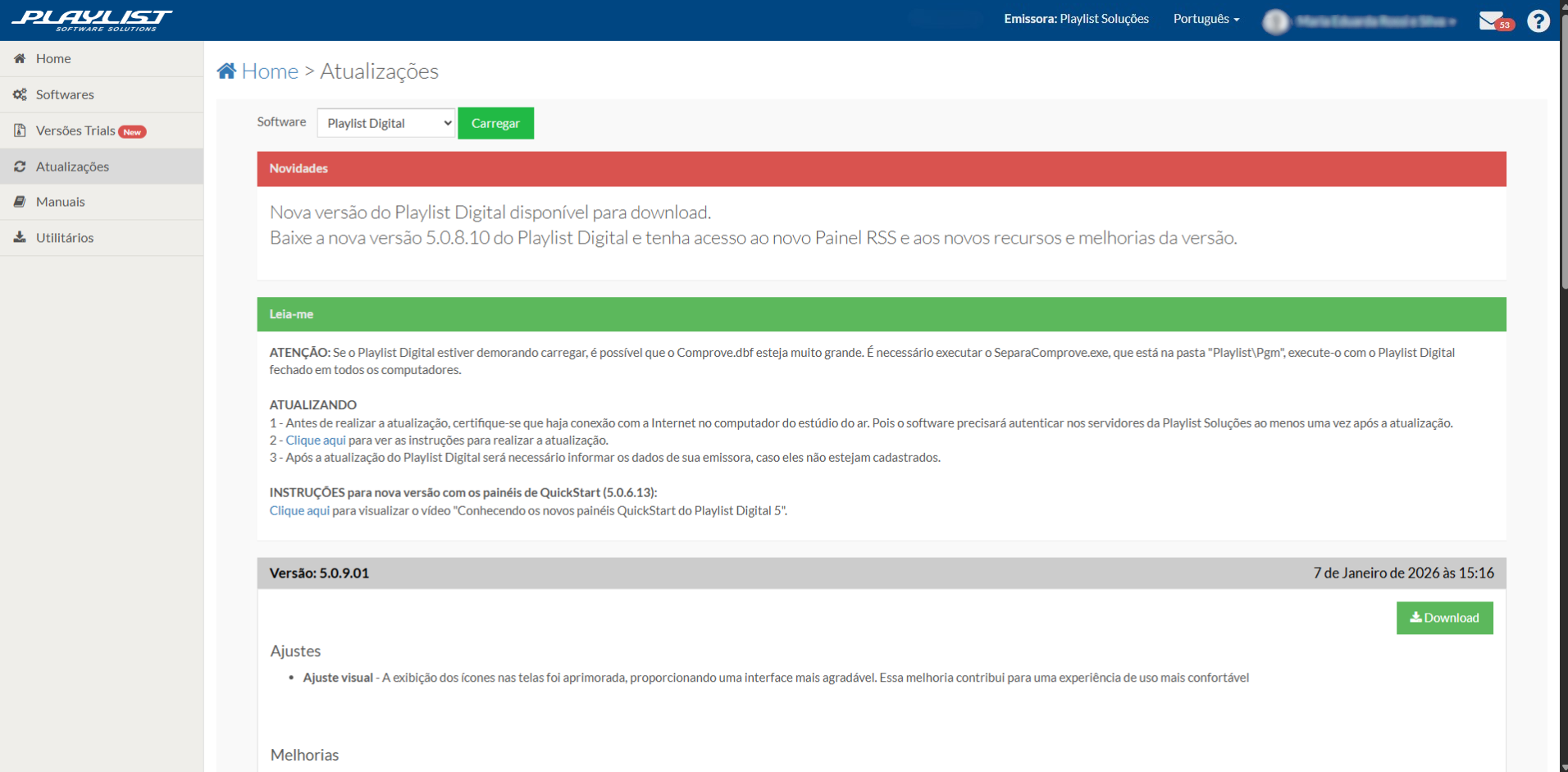
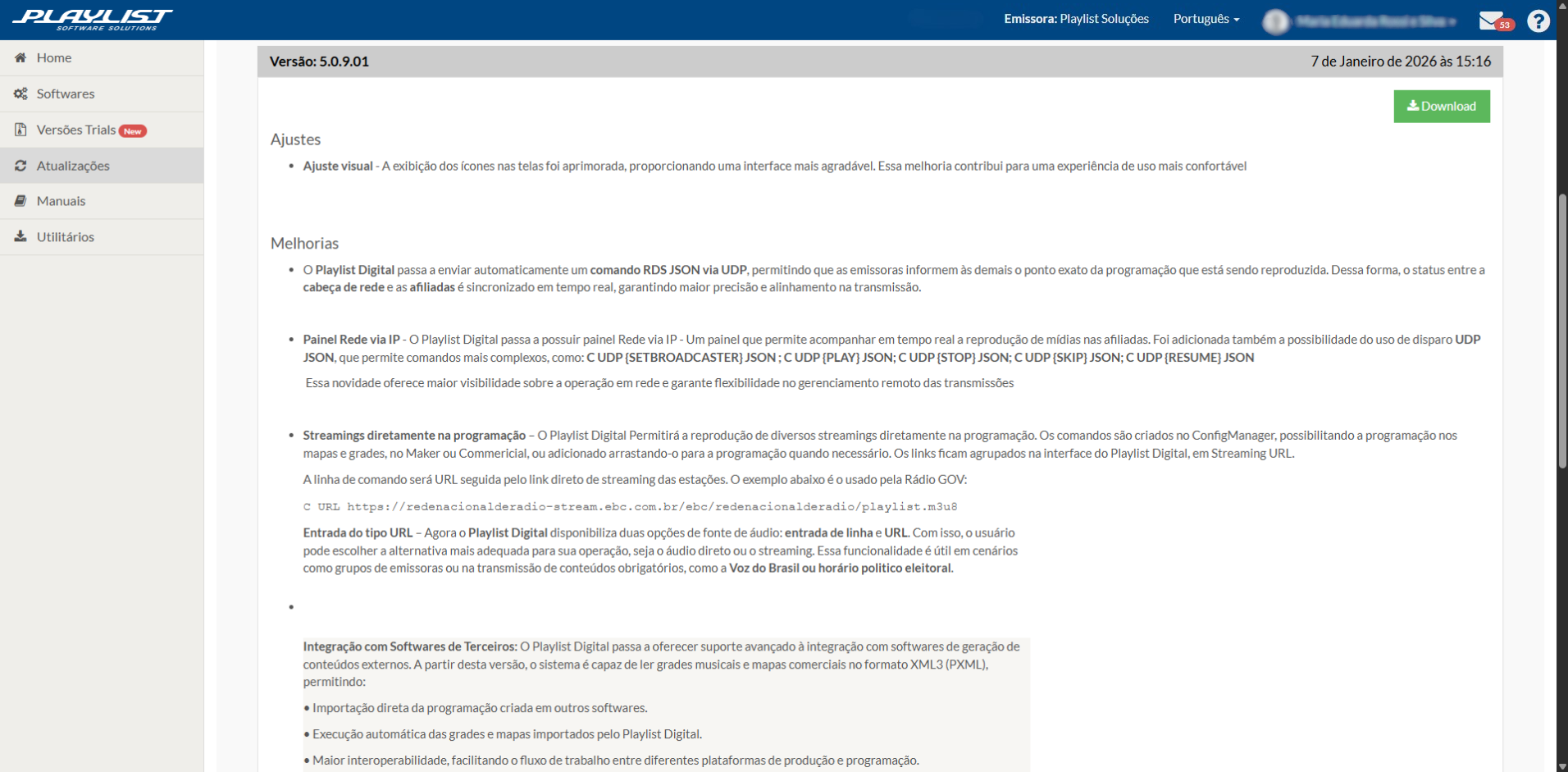
If you do not have the latest version, go to the Customer Area on the website https://playlistsolutions.com/ and then click on the option “Downloads >>> Updates.”
In the “software” field, select Playlist Digital and click the “Load” button. The download button will become available, and just below it, a description containing all the adjustments and improvements that have been made to the version in question.
It is very important to read this information, even to find out if the system now has any features that could add even more value to your station.
How To Update Your Playlist Digital
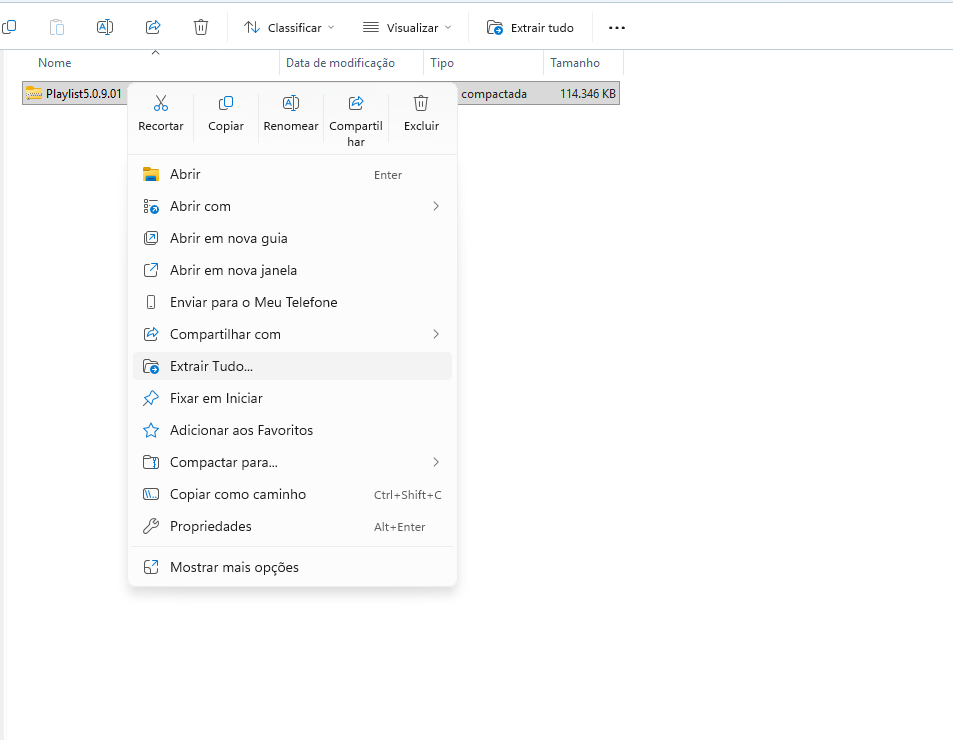
After downloading the file from the Customer Area, go to the folder where the file is located, right-click on it, and select “Extract all...”
A new folder will appear. Open it and run the “Playlist Digital Updater.”
• Select the language for your Playlist Digital and click the “OK” button.
• Check the “I accept the terms of the agreement” box and click the “Next” button
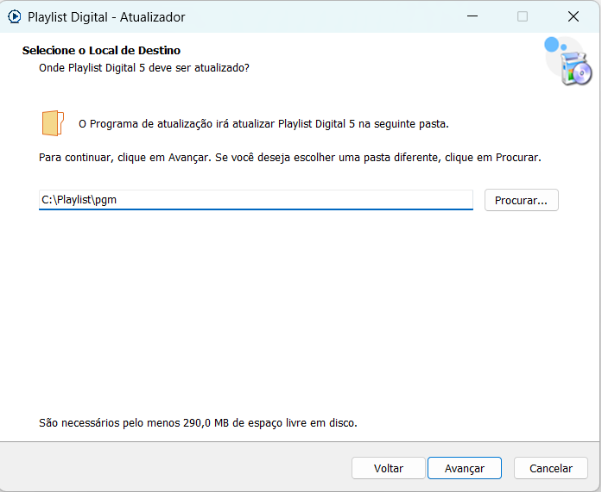
• Add the correct path to your Playlist’s pgm folder and click the “Next” button.
• After that, click on “Update,” wait for the process to complete, and on the next screen, click on “Finish.”
• Once inside the Playlist, select an operator with administrator permissions, go to “Playlist,” and click on “Update version.”
• Right after that, click on “Yes” to update the Playlist.
Note: the update process does not cause the Playlist to stop; it will restart and return updated.
Any questions?